How to Join the Run72 Fundraiser on Raisely
Joining the Run72 fundraiser is quick and simple! Below is a step-by-step guide with screenshots to help you get started.
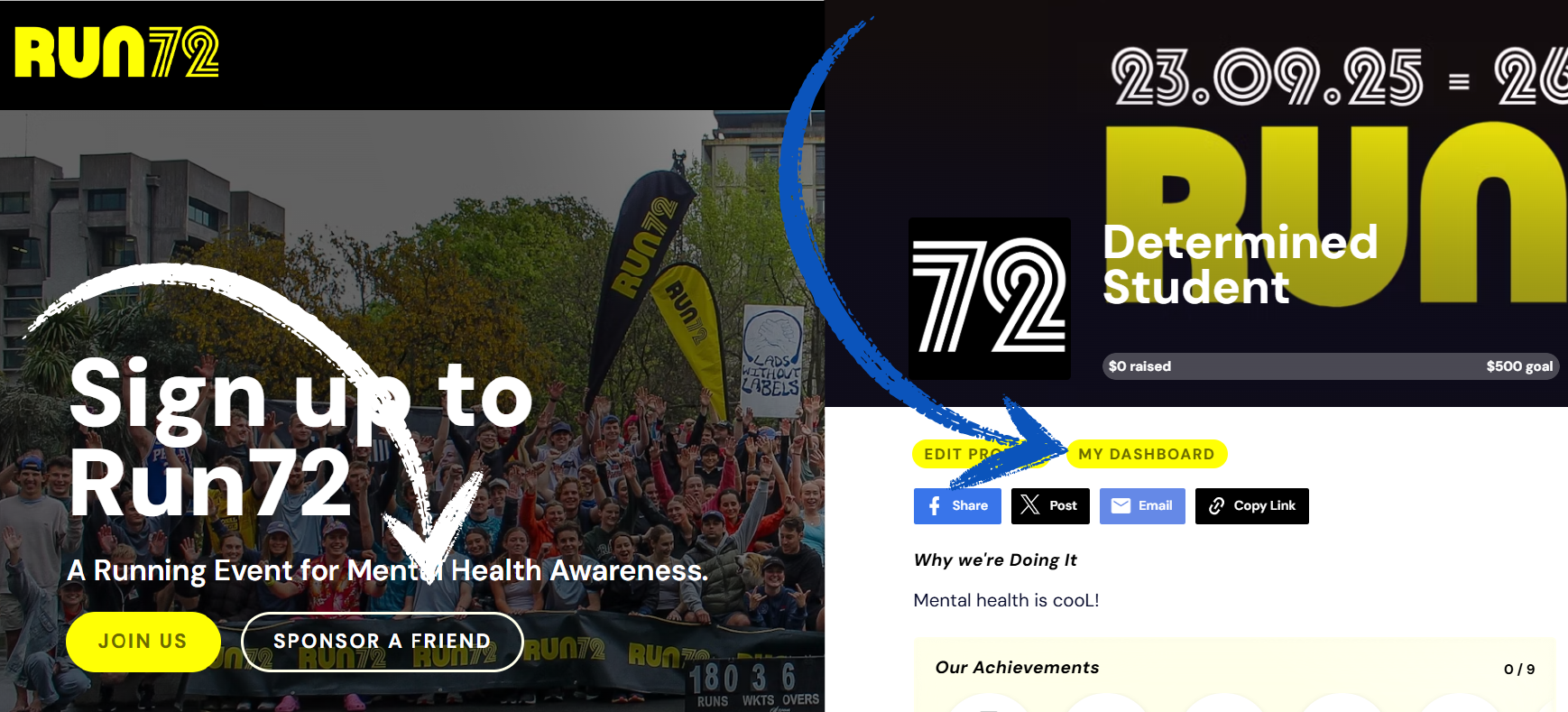
Step 1: Go to the Run72 Fundraiser Homepage
Step 2: Choose How You’d Like to Fundraise
You’ll see three options:
- Fundraise as an individual – create your own personal fundraising page.
- Start a team – set up a team fundraising page.
- Register Your Organisation – create a page and joint the corporate challenge.
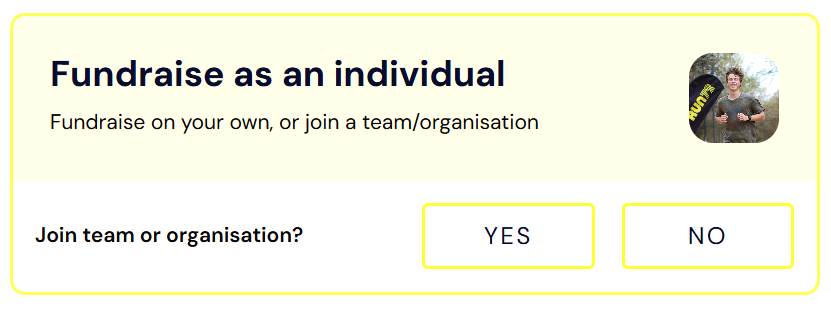
Step 3: If Fundraising as an Individual
- Select Fundraise as an Individual.
- Choose whether to:
- Join a Team or organisation, or
- Continue without joining
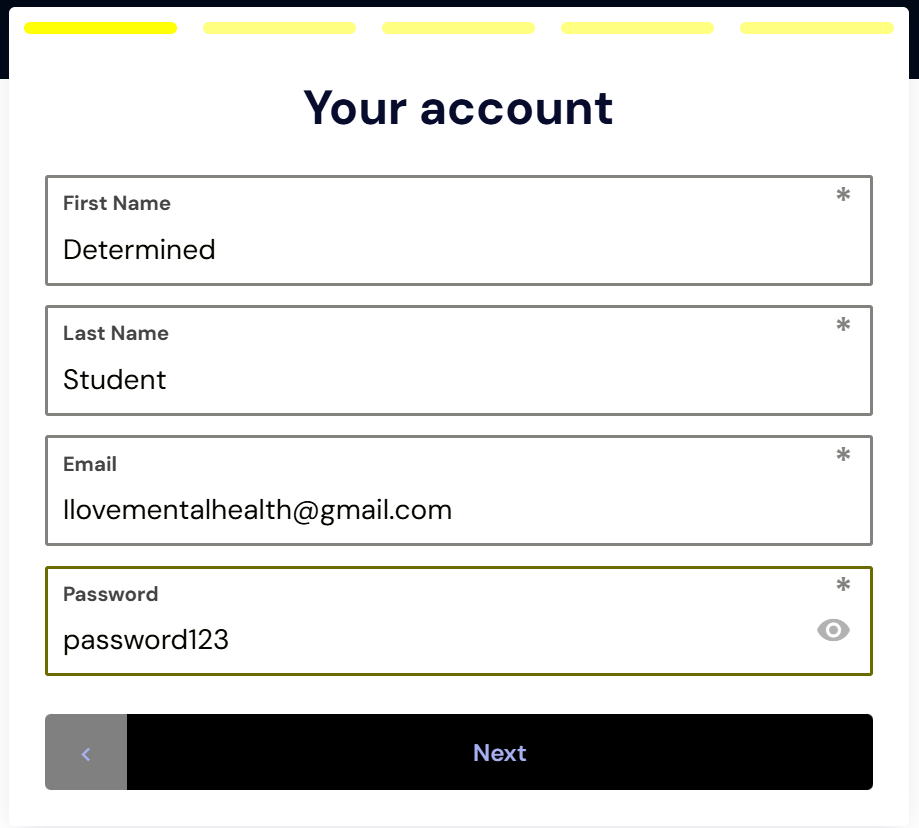
Step 4: Create Your Account
- Enter your details (name, email, password).
- You’ll then set up your profile.
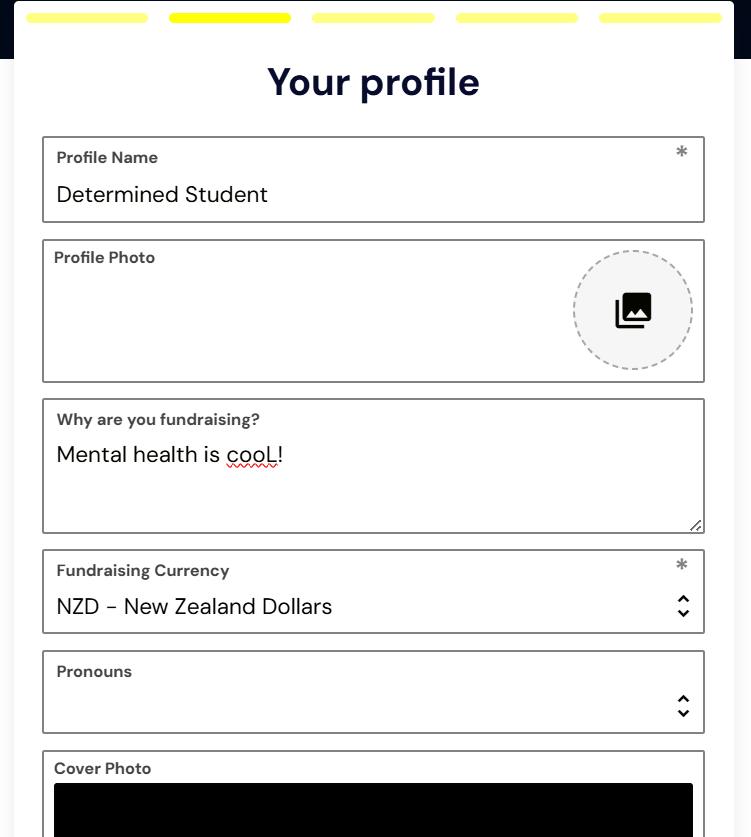
Step 5: Set Up Your Profile
Here you can:
- Upload a profile photo.
- Add a short blurb about why you’re fundraising.
- (Optional) Add pronouns or a cover photo.
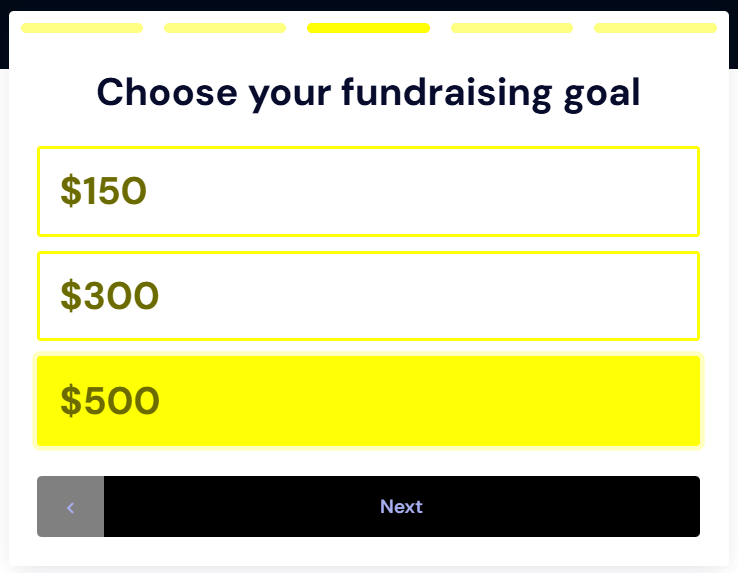
Step 6: Choose Your Fundraising Goal
- Enter how much you’d like to raise.
- This will appear on your fundraising page so your supporters can see your progress.
Step 7: Access Your Dashboard (For Returning Fundraisers)
If you’ve already signed up and want to access your page, create/join a team, or see your progress:
- On the homepage, click “Sponsor a Friend”.
- Search and click on your name.
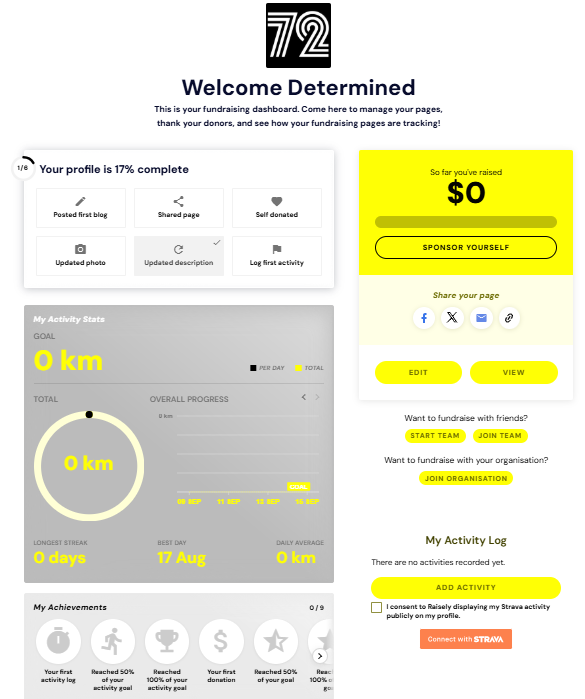
- Then click “My Dashboard”.
- From your dashboard you can:
- Link your Strava account.
- View donations and progress.
- Create or join a team/organisation.
Step 8: Run
Once everything is set up properly your name or team name will appear on the leaderboard and update live as you fundraise and complete laps.
For further help and questions, refer to our FAQ on the Raisely website: https://run72.raiselysite.com/faqs